You will need:
- Fancy Flower Large Punch
- Skewer or Paper Piercer
- Scissors
- Glue, Sticky Strip, or Crystal Effects (your personal choice)
- Sponges/Sponge Daubers
- Ink
Please note...I did not invent this rose. I have merely just taken my own step-by-step photos for those who haven't yet seen how to make this amazing flower.
"WARNING: Following are LOTS of photos!
Photos tell a thousand words!"
 1. Punch out 3 Large Fancy Flowers. (here I used Melon Mambo).
 2. With all 3 flowers, bend the edges of each petal using your bone folder. (As if you are curling ribbon). Don't worry if your paper gets creases or starts to split.
 3. On the 1st flower, cut a slit into the middle between two petals (this photo does not show this step - sorry!)
On the 2nd flower, cut into the middle and cut out one petal.
One the 3rd flower, cut into the middle and cut out two petals (but keeping them whole).
You should now have 5 pieces.
 3. I like to add some shading to the edges of my petals by rubbing an inked sponge dauber over the petal edges. Here I used Riding Hood Red.
 4. Instead of using glue, I like to use small strips of Sticky Strip. I get them ready by hanging onto my Stamp-a-ma-jig. You can use glue, or Crystal Effects, but I find its less messier if I use Sticky Strip.

5. With your one single petal, roll it up (I use a skewer to help me, but you could use your paper piercer). The pointy end of the petal is going to get cut off very soon.
 6. Probably the most trickiest is the 2-petal piece. Bend/roll together. Try to make it like a cylinder.
 7. Take your 3-petal flower and with the petals facing downward, bend so one petal overlaps the other one. This is a bit tricky at first but perservere. I find it easier to "roll" it to each other rather than folding.
 3. I like to add some shading to the edges of my petals by rubbing an inked sponge dauber over the petal edges. Here I used Riding Hood Red.
 4. Instead of using glue, I like to use small strips of Sticky Strip. I get them ready by hanging onto my Stamp-a-ma-jig. You can use glue, or Crystal Effects, but I find its less messier if I use Sticky Strip.
5. With your one single petal, roll it up (I use a skewer to help me, but you could use your paper piercer). The pointy end of the petal is going to get cut off very soon.
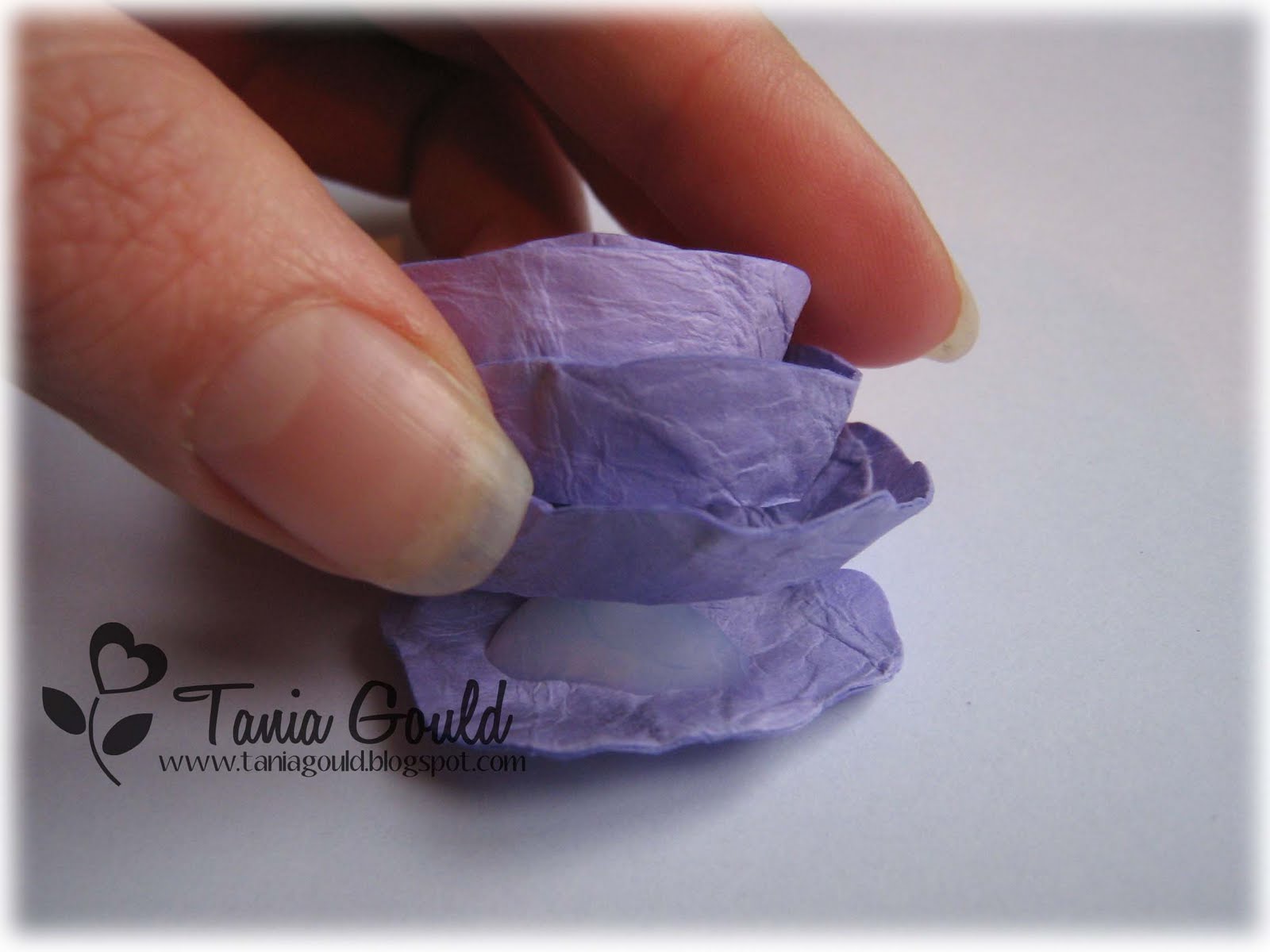
6. Probably the most trickiest is the 2-petal piece. Bend/roll together. Try to make it like a cylinder.7. Take your 3-petal flower and with the petals facing downward, bend so one petal overlaps the other one. This is a bit tricky at first but perservere. I find it easier to "roll" it to each other rather than folding.8. Take the 4-petal flower and join together, remembing to keep the petals facing downward.
9. Take your whole flower (the one with just a slit into it), with the petals pointing downwards, bend one petal slightly on top of the one next to it so it sits on top - adhere with Sticky Strip.
Don't worry if it's not looking perfect. Flowers are never perfect and it will all come together once the flower is assembled! You should have all your pieces looking like above.
 The next step is to cut off the points so it can sit more flat and deeper into the centre of each layer.
 10. Here I used Crystal Effects to glue each layer together.


And the finished product!!!!

Every flower I make is totally different to the last one I made! I like that about them. They are handmade and each one is individual.
VARIATIONS:
1. Sponge CONTRASTING colours onto the edge of the petals eg. purple on pink, orange on yellow etc.
2. I like to spray my flowers (before or after assembling) with a Shimmer or Glimmer Mist/Spray.
3. Curl petals more or less for a different look.
4. Crumple up you card stock or run through Crimper serveral times to get a softer flower.
5. Stamp onto your punched out flowers BEFORE assembling, I have used Baroque Motifs flourish on mine and I love that look.
I hope it all makes sense to you and I would love to see any roses you make in the future! Thanks for hanging in there - it is a rather long photo-tutorial!
You should have all your pieces looking like above. The next step is to cut off the points so it can sit more flat and deeper into the centre of each layer.
 10. Here I used Crystal Effects to glue each layer together.


And the finished product!!!!

Every flower I make is totally different to the last one I made! I like that about them. They are handmade and each one is individual.
VARIATIONS:
1. Sponge CONTRASTING colours onto the edge of the petals eg. purple on pink, orange on yellow etc.
2. I like to spray my flowers (before or after assembling) with a Shimmer or Glimmer Mist/Spray.
3. Curl petals more or less for a different look.
4. Crumple up you card stock or run through Crimper serveral times to get a softer flower.
5. Stamp onto your punched out flowers BEFORE assembling, I have used Baroque Motifs flourish on mine and I love that look.
I hope it all makes sense to you and I would love to see any roses you make in the future! Thanks for hanging in there - it is a rather long photo-tutorial!






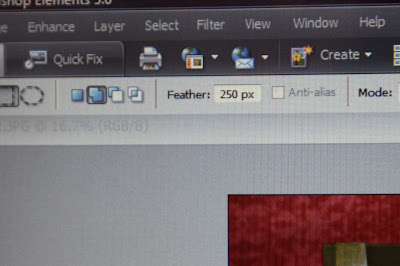
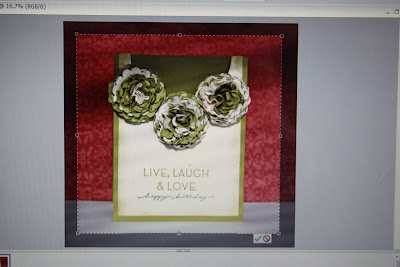
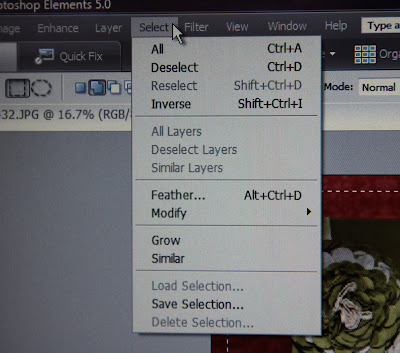
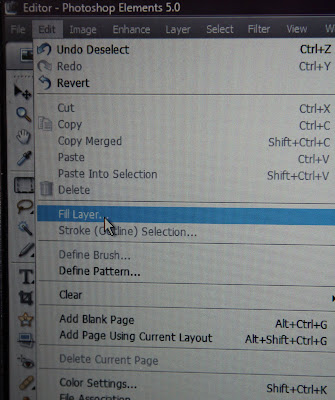
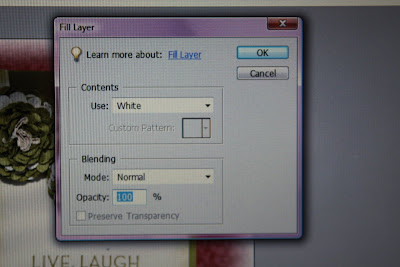
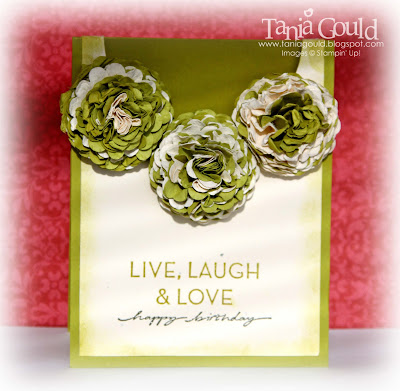 Sometimes I find that the edges isn't white enough like the photo above. I think this depends on the colours in the photo so I repeat the process. I draw another box, inverse it, fill selection white and deselect it again.
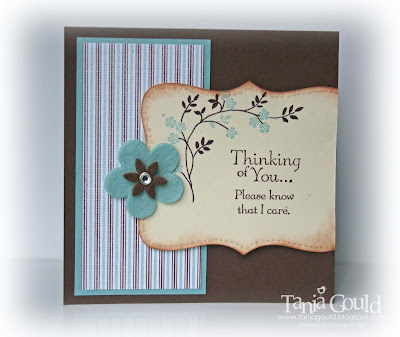 I hope this helps you with your photo editing! I personally think some cards really benefit from an effect like this on the edges and some others look better left alone - best to go with the flow and fiddle and see what


